openheim app
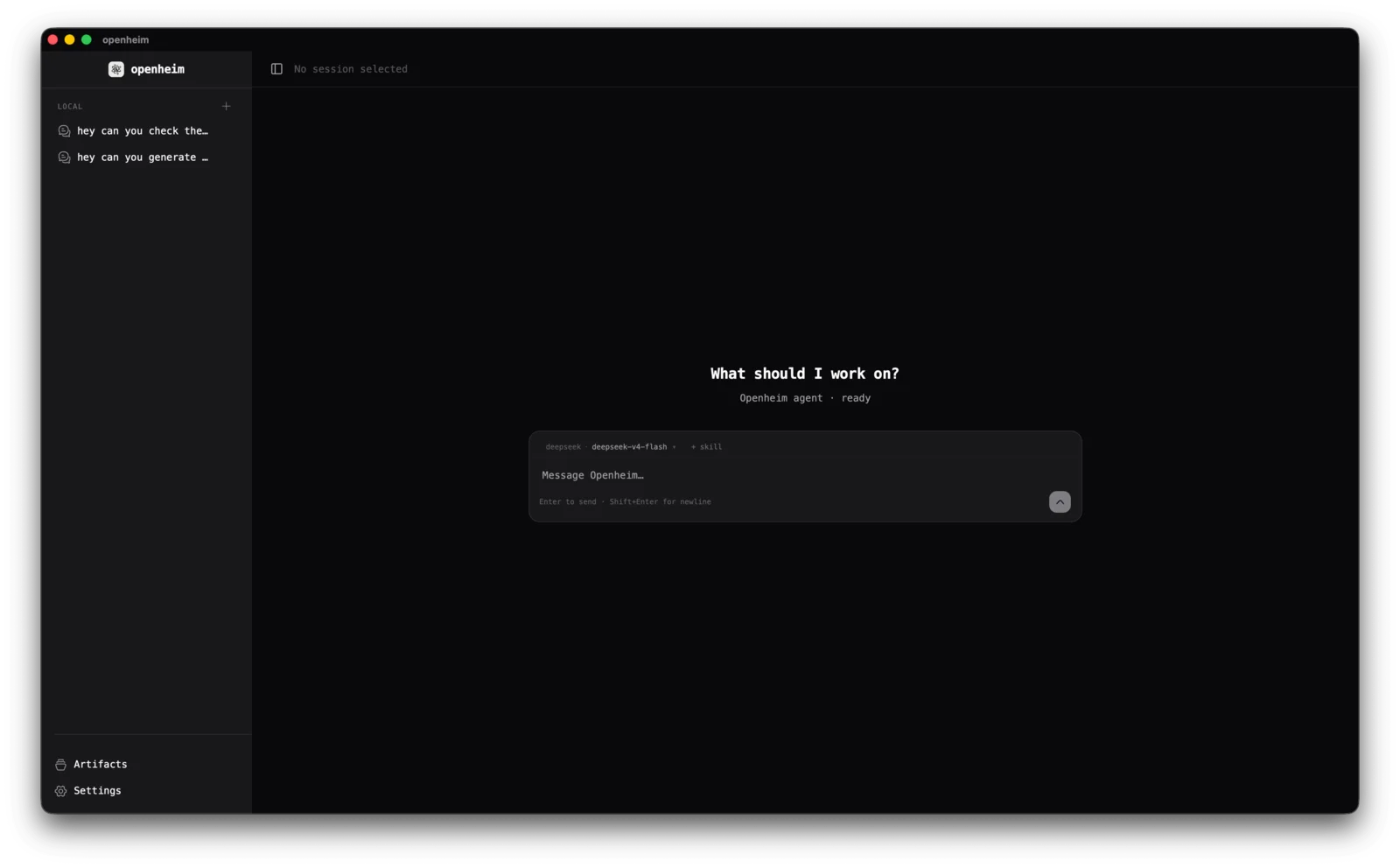
A native app for the openheim LLM agent on desktop and mobile. Chat, sessions and tools in one window, with any model provider.
or if you prefer the terminal you can check openheim cli
The whole agent, in a window.
Everything openheim can do, without a config file in sight.
Streaming chat
Thinking, text and tool calls stream in as separate blocks, in the order they happen. Reopen a session later and they stay in that order.
Switch models mid-conversation
Pick a different provider or model for the next message without starting over. Keep a strong model for hard turns and a cheaper one for the rest.
Read the docs on Switch models mid-conversationYou approve tool calls
Each tool call waits for you: allow once, allow always, or reject. Calls made by subagents ask too.
Local or remote agent
The agent runs inside the app by default. Add your own openheim servers and switch between them from the sidebar.
Read the docs on Local or remote agentMCP servers
Add any MCP server over stdio or Streamable HTTP in Settings. Its tools show up for the agent right away.
Read the docs on MCP serversSkills
Write Markdown instructions once and turn them on per session from the prompt box, or load some by default.
Read the docs on SkillsSubagents
Let the agent hand a self-contained task to another agent with its own persona, model and tools, and get back only the answer.
Read the docs on SubagentsLong-term memory
Ask the agent to remember something and it saves a note it can search in later sessions. Search runs locally unless you add an embedding provider.
Read the docs on Long-term memoryArtifacts browser
Browse the files the agent wrote in its workspace without leaving the chat.
Paste images
Paste a screenshot or photo into the prompt box and send it with your message.
Built for long sessions
The prompt box shows how much of the context window you've used. Set a model's context window and the oldest turns are left out before a request gets too long.
Read the docs on Built for long sessionsSame agent as the CLI.
On desktop, the app and the openheim CLI share one folder.
~/.openheim/config.tomlproviders, API keys, MCP servers
~/.openheim/system.mdthe agent's system prompt
~/.openheim/skills/skill Markdown files
~/.openheim/subagents/subagent profiles
~/.openheim/history/every conversation
Start a session in the terminal and it shows up in the app, updating live as the CLI works. A provider or skill you add in one is there in the other.
Bring your own model.
Paste your API key in Settings → Providers. For a self-hosted model, add a custom provider with its base URL and model list.
Private by default.
You choose where your conversations go. Nobody else sees them.
Read the privacy policyNo account
Install it, add a provider, start chatting. There's nothing to sign up for.
No tracking
The app has no analytics, ads or tracking SDKs.
Your data stays on your device
Conversations, settings and API keys are stored locally. Messages go only to the provider or server you choose.
Nothing runs without asking
Tool calls wait for your approval unless you've chosen to always allow them.
Files stay in the workspace
File tools can't read or write outside the agent's workspace folder.
Shell is opt-in
The agent can't run shell commands until you turn them on in Settings. On mobile, the shell is always off.
Common questions
More on the support page.
Is the openheim app free? +
Yes. The app is free, with no account and no subscription. You pay your model provider for what you use, or nothing at all with a local model.
Is openheim available on iPhone and Android? +
The iOS and Android apps are in review on the App Store and Google Play. The store links will appear on this page once they are live. The desktop app is available now for macOS, Windows and Linux.
Which AI models can I use? +
Anthropic, OpenAI, Google Gemini, DeepSeek, Z.ai and Ollama work out of the box. Anything that speaks the OpenAI API, such as OpenRouter, vLLM or LM Studio, can be added as a custom provider with its base URL. You can switch models in the middle of a conversation.
Can I run it with a local model? +
Yes. Point a provider at Ollama or any other OpenAI-compatible server running on your machine. No API key is needed, and your conversations never leave your computer.
Does it work with the openheim CLI? +
Yes. On desktop, the app uses the same ~/.openheim folder as the CLI, so providers, skills, subagents and conversations are shared. A session started in the terminal shows up in the app.
Can the agent run shell commands? +
On desktop, yes, once you turn the shell on in Settings. It asks before each command unless you choose to always allow it. iOS and Android don't let apps run other programs, so on mobile you connect to an openheim server on your computer to use its shell.
Can I connect MCP servers? +
Yes. Add an MCP server in Settings over stdio or Streamable HTTP, and its tools become available to the agent. On mobile, only HTTP-based MCP servers are supported.